You have a working project and an empty audience counter. I know the temptation: keep polishing the launch page until the audience somehow arrives. For LatticeSpot, I would rather make the next release easy to understand and easy to try, then use a small launch to learn what needs work.
A big following can bring attention. A small, testable project gives someone a reason to spend that attention. When I plan an early launch, I start with that second part.
Choose one moment someone can try
Pick the smallest useful experience your product can deliver today. A visitor should be able to finish a sentence such as “I tried it, and I could…” For a note-taking tool, that might mean turning a sample note into a task list. For a visual directory, it might mean opening a project and understanding what its owner is offering.
Keep the route short. Show a working example, name the next action, and explain any account requirement near the button. You can still have a larger roadmap. Your first visitor needs a useful present-tense experience.
Use the platform’s participation rules to shape the launch
Show HN’s guidelines ask for something people can try and a maker who participates in the discussion. They discourage landing pages and signup-only experiences. That makes the format useful to study even when your project is better suited to another community.
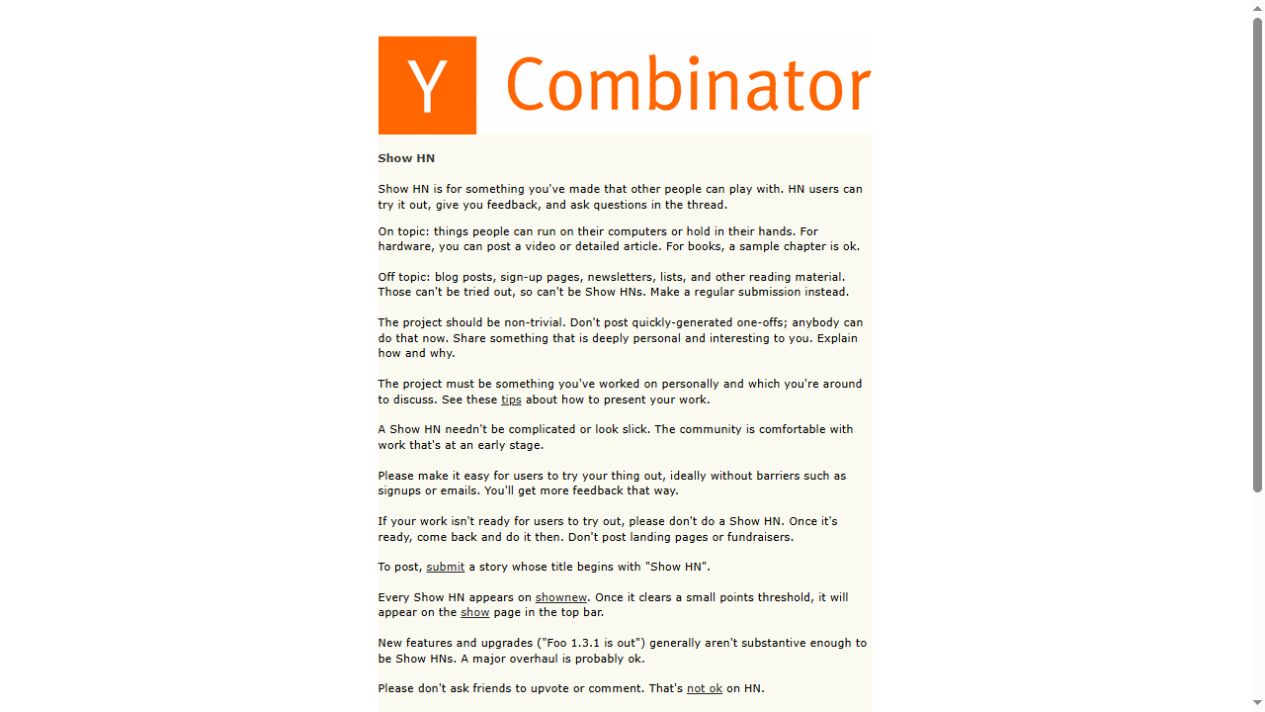
My takeaway is practical: prepare the experience and the conversation together. A launch post can invite someone to test a decision you made. It becomes easier to respond when you know which part you want them to examine.
Compare the audience and format before choosing a platform. My free website promotion guide separates directories, scheduled launches, and discussion-based launches so you can choose a route that fits.
Ask a question that can improve the product
“What do you think?” asks the visitor to decide where to begin. A focused question gives them a job they can finish. Ask whether the first screen explains the product, whether a step was confusing, or which detail they needed before trying it.
For a canvas product, I might ask: “After looking at this example, what do you expect to happen if another placement overlaps it?” That question tests whether the explanation works. It does not ask a stranger to approve the whole business.
Use the answer as a clue, then check it against the actual experience. One person’s confusion can reveal a wording problem; it does not prove every visitor is confused. Keep the observation specific enough to act on.
Turn feedback into a visible sequence of decisions
Here is the useful possibility I see in a small launch: a public question, a clear reply, and an explained improvement can show how a maker works before the project has testimonials. The evidence is the sequence itself—what someone asked, what changed, and what can now be tried.
This is my interpretation of the participation model, not a measured conversion result. It gives an early project a concrete way to explain progress without inventing social proof.
- Save the original question and the relevant screen.
- Identify the decision you can change.
- Make the change and describe it in plain language.
- Invite a fresh try where the community permits it.
Keep a short public update when there is something useful to show. A changed button label, clearer example, or shorter setup path is enough if it answers a real problem.
Make the launch small enough to finish
Prepare one introduction, one actual screenshot, and one clear destination. Choose a channel where the project belongs. Leave time to answer replies after posting. If your schedule allows only one thoughtful submission, complete that one and record what happened.
For the next step, use my startup submission kit to prepare the assets, or the first visitors plan to organize a week of outreach. Start with a usable project and an answerable question. That gives your first visitors a way to take part.
Give Your Project a Spot of Its Own
Put your image on the canvas and introduce your project with a public placement page. Start with a free pixel application.
Explore the Canvas →One free empty pixel per account. Verified email required; no manual approval. See how placements work.